What Is TvMate Pro? Complete Guide
If you’ve been searching for the ultimate way to stream live TV, movies, and series on your Firestick or Android TV, you’ve likely come across the name TvMate Pro. But it is important to understand exactly how it works.
Here is the short version: The TvMate Pro app is just a player. It contains no channels on its own. To watch anything, you need a subscription.
In this guide, we will explain how our premium subscription service transforms this empty player into the ultimate entertainment machine, rivaling expensive cable packages at a fraction of the cost.
What Exactly is TvMate Pro?
Crucial Distinction: TvMate Pro consists of two parts: the App (the player) and the Service (the content). The app alone is empty.
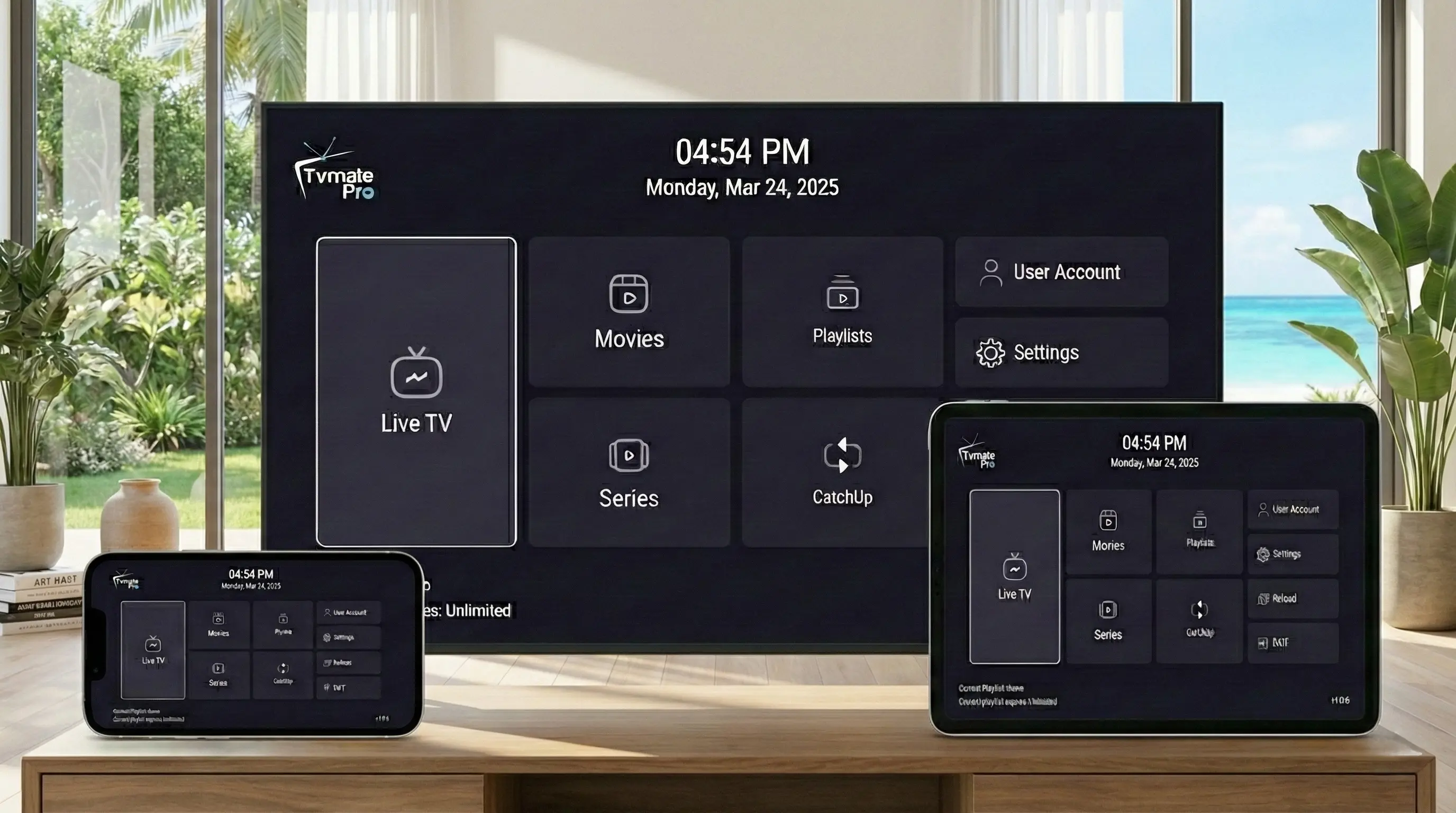
The TvMate Pro App is a premium media player application designed for Android-based devices. It is widely praised for its modern interface, fast channel zapping, and EPG support. However, without a subscription, it plays nothing.
This is where we come in. We provide the Premium IPTV Subscription that you connect to the app. By purchasing a plan from us, you get the "fuel" for the car—over 40,000 live channels and a massive library of on-demand movies and series.
The app is designed to work seamlessly on:
- Amazon Firestick
- Android TV Boxes
- Google TV
- NVIDIA Shield
Key Features That Set It Apart
When you pair the TvMate Pro app with our premium subscription, you unlock a top-tier entertainment experience. Here is what you get:
Massive Content Library
Access over 40,000+ live channels from around the globe. Whether you are into sports, news, documentaries, or international programming, the variety is unmatched. Additionally, the Video On Demand (VOD) library includes 100,000+ movies and series.
4K & UHD Streaming
TvMate Pro is optimized for high-resolution displays. Enjoy crystal-clear 4K and FHD picture quality on supported channels and VOD content, provided your internet connection is stable.
Advanced EPG (TV Guide)
Say goodbye to guessing what's on. The fully integrated Electronic Program Guide lets you see current and upcoming shows in a familiar grid layout, just like cable, but faster.
Recording & Catch-Up
Missed a game or a show? With Catch-Up TV (on supported channels) and recording capabilities, you can watch your favorite content on your own schedule.
Device Compatibility
One of the biggest strengths of TvMate Pro is its versatility. While it shines on TV screens, it supports a wide ecosystem of devices.
You can install TvMate Pro on:
- Smart TVs: Samsung, LG, and Models running Android TV.
- Streaming Sticks: Amazon FireTV Stick 4K, Firestick Lite, Fire Cube, and Roku (via compatible apps).
- Mobile Devices: Android smartphones and tablets for viewing on the go.
- Computers: Windows PCs (via emulator or web player).
For detailed installation instructions for your specific device, check our Download Page.
The TvMate Pro Difference
"Is the TvMate Pro app enough to watch TV?"
It is important to understand that the TvMate Pro app is just a media player. It does not come with any pre-installed channels or movies.
That is where we come in. We provide the best IPTV playlist subscription to use within the TvMate Pro app. Our service unlocks the full potential of the player, giving you instant access to 40,000+ live channels and a massive library of VOD content.
How to Get Started
Ready to cut the cord? Getting started with TvMate Pro is simple and takes less than 10 minutes.
- Choose Your Plan: Visit our Subscription Page to view our flexible pricing options. We offer 1, 3, 6, and 12-month plans.
- Download the App: Install the TvMate Pro app on your device. You can find direct download links and codes (like our Firestick Downloader code) on the Download Page.
- Log In: Enter the username and password provided in your welcome email.
- Enjoy: Your channels and movies will load instantly. You can start creating your favorites list immediately.
Pro Tip: Not sure if it's right for you? We offer a 24-hour Free Trial so you can test the stability and channel list before you commit.
Frequently Asked Questions
Do I need a VPN?
While TvMate Pro works without one, we always recommend using a VPN to prevent ISP throttling and ensure privacy, especially if you live in regions with strict internet monitoring.
Can I use TvMate on multiple devices?
Yes! Our plans support multiple connections. You can watch on your TV in the living room while a family member watches on a tablet in the bedroom simultaneously.
Is there a contract?
Never. All TvMate Pro subscriptions are pay-as-you-go. You can cancel or renew whenever you like.
Conclusion
TvMate Pro represents the gold standard in modern IPTV streaming. by combining a massive library of 40,000+ channels with a sleek, user-friendly player app, it offers a viewing experience that is superior to traditional cable at a fraction of the cost.
Whether you are a sports fanatic, a movie buff, or just looking for reliable live TV, TvMate Pro is the solution you've been waiting for.
Experience TvMate Pro Today
Join 25,000+ happy subscribers and unlock the ultimate entertainment package.